Jeep JK Uconnect Problems & Upgrade Guide: Fix Glitches and Modernize Your Infotainment
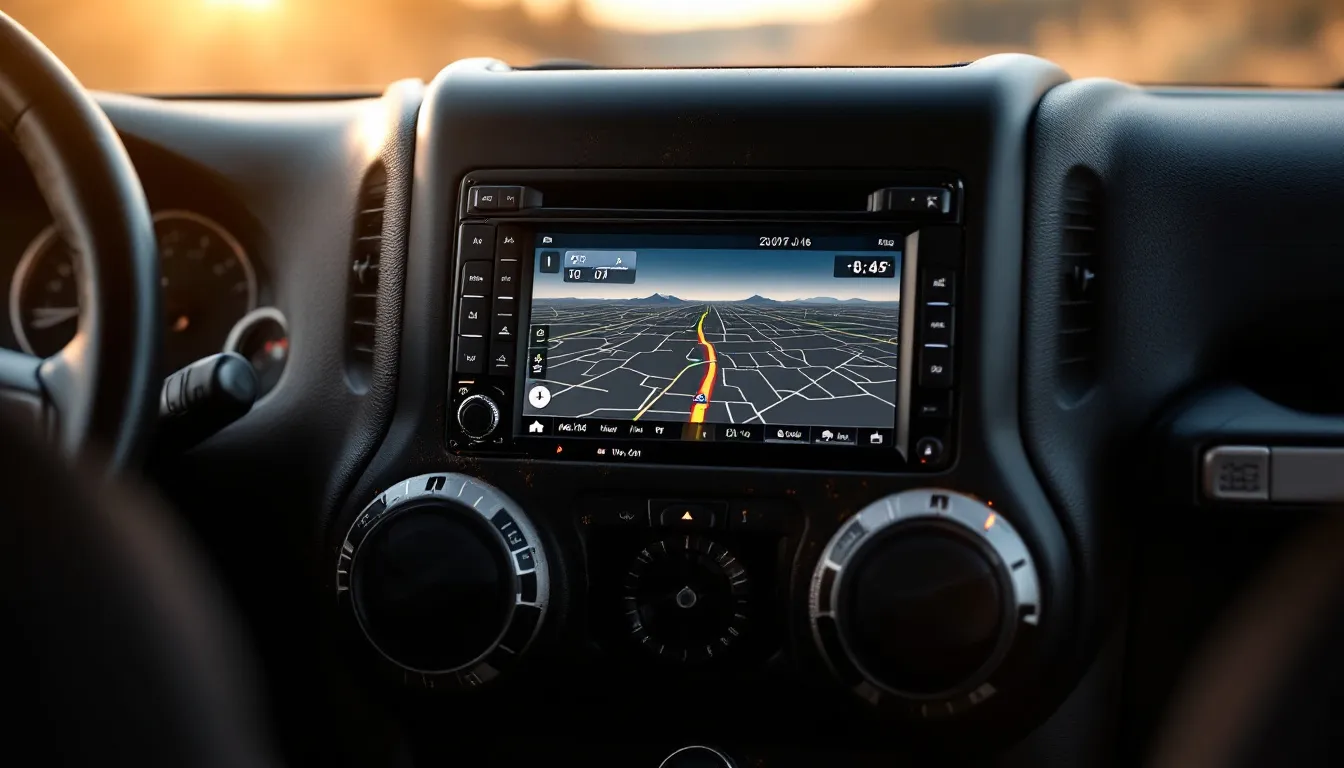
Jeep JK Uconnect Problems & Upgrade Guide: Fix Glitches and Modernize Your Infotainment
Uconnect is Chrysler’s factory infotainment platform, and if you own a 2007–2018 Jeep Wrangler JK, there’s a solid chance you’re running one of three variants: the basic Uconnect 130 (AM/FM radio, no screen), the Uconnect 430 (4.3-inch touchscreen with optional navigation), or the Uconnect 430N (8.4-inch display with full-color navigation and HD Radio). Each one has its own personality—and its own failure modes.
Freezing screens, dropped Bluetooth connections, and unresponsive touch panels are the most common complaints JK owners bring up in forums and Facebook groups. If your Uconnect is acting up, you’ve got two realistic paths forward: troubleshoot the factory system and try to save it, or rip it out and drop in a modern aftermarket head unit that actually has wireless Apple CarPlay and Android Auto.
This guide walks you through both options. You’ll learn which Uconnect system is hiding behind your dashboard (by year and trim), how to diagnose what’s actually broken, the reset and update steps that fix most issues, and honest recommendations for the best replacement radios available right now—with real pricing and no fluff.
Affiliate Disclosure: JeepJK Guide earns a commission from qualifying purchases made through links on this page. This never affects our recommendations — we only feature products that fit 2007–2018 Jeep Wrangler JK and JKU models.
Which Uconnect System Is in Your Jeep JK? (2007–2018 Breakdown)
The Uconnect system in your JK depends on the model year and trim level—not all JKs came with the same radio from the factory. The single most important thing you need to know before troubleshooting or upgrading is exactly which Uconnect variant you have, because reset procedures, software update paths, and aftermarket compatibility all vary significantly.
Here’s the general breakdown by year:
- 2007–2010: Most JKs shipped with a basic Uconnect hands-free phone module (no touchscreen). Higher trims might have had an early CD or satellite radio unit. These early models don’t have a Uconnect touchscreen at all—just a small physical interface.
- 2011–2013: Chrysler introduced the Uconnect 430 (4.3-inch resistive touchscreen, CD, Bluetooth, optional GPS) on mid and upper trims. Base Sport models often still had the simpler unit without a screen.
- 2014–2018: The Uconnect 430N became the more common upgrade—8.4-inch touchscreen on higher trims, though the 4.3-inch 430 remained available on base configurations. Starting around 2014, you could option up to a bigger screen if you wanted it.
Trim level matters enormously. Rubicon and Sahara models were far more likely to get the 430 or 430N than the base Sport. If you’re not sure what your specific JK came with, check the window sticker or service records—or look at the actual unit sitting in your dash right now. If you see a 4.3-inch resistive screen, you have a Uconnect 430. If there’s an 8.4-inch capacitive screen, that’s the Uconnect 8.4—a later, more capable unit found on higher-trim 2014–2018 models.
Get new guides by email
One email when we publish something worth reading. Unsubscribe anytime.
The 6 Most Common Jeep JK Uconnect Problems (and What Actually Causes Them)
Most Uconnect problems fall into a small number of repeating patterns. What you’re about to read comes from real JK owner forums and community knowledge—not sanitized manufacturer spec sheets—because that’s where the actual diagnosis happens.
JK owners report these six faults most consistently:
- Frozen or black screen: The display locks up mid-drive or won’t boot at all. Usually caused by a software hang, a failing internal capacitor, or (on older units) heat-related solder joint failure inside the unit.
- Bluetooth drops or won’t pair: The Uconnect Bluetooth module uses an older Bluetooth profile that struggles to reconnect reliably with modern smartphones running iOS 16+ or Android 13+. This is one of the fastest-growing complaints as phone software advances and leaves the old JK hardware behind.
- No sound or audio cuts out: A loose harness connector behind the unit, a blown amp fuse, or a software glitch can all kill audio. Check the wiring at the back of the head unit first before assuming the unit is dead.
- Touchscreen stops responding: Resistive screens (Uconnect 430) wear out over time. The touch layer delaminates or loses calibration. Capacitive screens (8.4-inch) are more durable but can fail after water ingress—which happens more often on JKs with soft tops.
- GPS navigation errors or freezes: Corrupt map data on the SD card or internal flash causes the nav to lock up. Reloading map data sometimes helps; a full software update is the better fix.
- Uconnect phone app disconnects from vehicle: Post-2015 iPhones and Android phones often struggle to maintain a stable connection with older Uconnect firmware. This is partly a phone-side issue and partly a gap in Uconnect’s aging architecture.
One overlooked cause: a weak battery. Check your battery voltage—anything below 12.4V at rest can cause erratic Uconnect behavior, since the system needs stable voltage to boot and run cleanly. If your JK is older or sits for long periods, this could be your culprit before you assume the Uconnect unit itself is dying.
How to Reset and Update Your Jeep JK Uconnect: Step-by-Step Fixes
Before spending money on a replacement, try these resets and updates. They resolve the vast majority of Uconnect freezes and Bluetooth issues on the JK.
Soft Reset (Try This First)
This is the quickest fix and works surprisingly often.
- Press and hold the Volume button and the Tune button simultaneously.
- Hold both buttons for approximately 10–15 seconds.
- The screen will go black, then reboot.
- Release both buttons when the Chrysler logo appears.
This clears the current session without erasing your settings or phone pairings. If you’re having a freeze or Bluetooth dropout, this should be your first move—takes thirty seconds and fixes the problem in roughly half the cases JK owners report.
Hard Reset (Factory Restore)
If the soft reset doesn’t stick, a factory reset clears everything and forces a clean boot.
- Go to Settings on the Uconnect touchscreen.
- Navigate to System Information → Reset.
- Select Factory Reset and confirm.
- Allow the system to reboot fully—do not interrupt power during this process.
This wipes your phone pairings and custom settings, but it often fixes freezing issues caused by corrupted configuration data.
Software Update via USB
Updating the firmware is the fix for most Bluetooth and GPS problems. Chrysler releases periodic updates that patch compatibility issues with newer phones.
- Visit the official Chrysler Uconnect owner portal and download the correct firmware for your specific system (430 vs 430N vs 8.4). This is critical—downloading the wrong firmware version can brick the unit.
- Format a USB drive to FAT32—NOT exFAT or NTFS. The Uconnect unit will not read anything else. This is the single biggest reason updates fail.
- Copy the update files to the root of the USB drive (not inside a folder).
- Insert the USB into your JK’s USB port with the ignition in the accessory position.
- Follow the on-screen prompts. The update usually takes 20–40 minutes.
- Do not turn off the ignition during the update.
Warning: Using an incorrectly formatted USB drive is the most common reason updates fail. Double-check FAT32 before you start. Use Windows Disk Management or macOS Disk Utility to confirm the format.
Note: Software updates usually resolve Bluetooth pairing failures and GPS freezes. They do not fix hardware failures like a cracked touch layer or a failed display backlight—those require replacement.
Factory Uconnect vs Aftermarket Upgrades: What You Gain and Lose
Replacing your Uconnect is not a casual decision. You gain a lot of modern features, but you also give up a few things worth knowing about upfront.
Here’s the honest comparison:
| Feature | Factory Uconnect 430 / 430N | Aftermarket (e.g., Stinger HEIGH10+) |
|---|---|---|
| Apple CarPlay | ✗ None | ✓ Wireless |
| Android Auto | ✗ None | ✓ Wireless |
| Bluetooth version | Older Bluetooth profile | Current Bluetooth 5.x |
| Screen size | 4.3” or 8.4” | 6.8”–10.1” |
| OEM integration | ✓ Full (TPMS, climate display) | Partial — varies by unit |
| Steering wheel controls | ✓ Native | Requires SWC adapter |
| Backup camera input | ✓ (on 8.4 systems) | ✓ Most units include input |
| Off-road gauges | ✗ None | ✓ On premium units (e.g., Stinger) |
| Install complexity | Already installed | 60–90 min for plug-and-play |
| Cost to upgrade | $0 (software fix) | $130–$999 |
The biggest loss when ditching factory Uconnect is OEM system integration. Some JKs display TPMS warnings and climate control data through the head unit. When you swap to an aftermarket unit, that integration may not transfer cleanly or completely. Most aftermarket units can display a backup camera feed and receive steering wheel controls, but they can’t always pull in tire pressure warnings or engine temperature from the OEM network.
Confirm specific compatibility before you buy—don’t assume every unit will integrate the same way.
Best Aftermarket Radios to Replace Uconnect in a Jeep JK
When the factory Uconnect is beyond saving, or you simply want wireless CarPlay and a modern display, these are the best replacements available right now for 2007–2018 JK and JKU models. All units below are confirmed JK-fitment compatible and currently available on Amazon.
Best Overall: Stinger HEIGH10+ 10.1” JK Head Unit
The HEIGH10+ is the gold standard for JK owners who want a fully engineered, JK-specific solution instead of a generic double-DIN aftermarket head unit shoehorned into a JK dash adapter.
Key Specs:
- 10.1-inch Full HD touchscreen
- Wireless Apple CarPlay and Android Auto
- Built-in off-road gauges (pitch, roll, compass, elevation)
- Hi-Fi audio streaming with parametric EQ
- Bluetooth receiver and integrated GPS navigation
- Designed specifically for Jeep Wrangler JK (2007–2018, 2-door and JKU)
Pros:
- JK-specific fit means no custom cutting, no adapter hacks—it just fits
- Off-road gauges replace the system integration you’d lose from the factory dash
- 10.1” screen is large enough to be genuinely usable while wheeling
- Wireless CarPlay and Android Auto eliminate cable clutter on the console
- Purpose-built for durability in an off-road environment
Cons:
- $999 is a serious investment—the highest price point on this list
- Larger screen footprint changes the dashboard aesthetic significantly
- Overkill if you’re just commuting and rarely off-road
Price: ~$999
For JK owners who wheel seriously and want a unit actually built for off-road use—not just swapped in from a generic car application—the Stinger HEIGH10+ is in a class by itself.
Best Mid-Range: Stinger 6.8” Wireless CarPlay JK Stereo
Same Stinger engineering and JK-specific fitment, smaller screen, lower price. This is the pick for owners who want plug-and-play reliability without the flagship price tag.
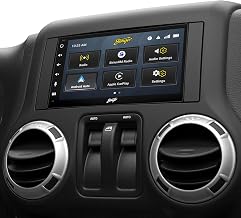
Stinger 6.8" Wireless Apple CarPlay Radio for Jeep Wrangler JK (2007-18)
$389
Check Price on Amazon →Key Specs:
- 6.8-inch HD touchscreen
- Wireless Apple CarPlay and Android Auto
- Bluetooth receiver
- USB charging port
- Plug-and-play double DIN dash kit included
- Camera inputs (front and rear)
- Compatible with all 2007–2018 Jeep Wrangler JK models
Pros:
- Plug-and-play—no custom wiring or cutting required
- Stinger’s JK-specific harness makes steering wheel control integration clean
- Camera inputs ready for a backup camera upgrade
- Smaller 6.8” screen looks more factory-proportioned than the 10.1”
- Strong warranty and customer support from a company focused on Jeep
Cons:
- No built-in off-road gauges (unlike the HEIGH10+)
- Less immersive than a larger screen for navigation on longer trips
Price: ~$389
This unit is the sweet spot for most JK owners—modern features, JK-specific fit, and a price that doesn’t require a second mortgage.
Best Budget Option: 10.2” Wireless CarPlay Android Stereo
If your budget is tight but you still want wireless CarPlay and Android Auto, this 10.2-inch unit delivers the core features at a fraction of the Stinger price.
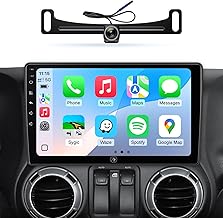
Car Radio for Jeep Wrangler JK Dodge Ram | 10.2" IPS HD Stereo Touchscreen
$149.99
Check Price on Amazon →Key Specs:
- 10.2-inch IPS HD touchscreen
- Wireless Apple CarPlay and Android Auto
- 5G WiFi and GPS navigation
- Bluetooth, AM/FM, steering wheel control support
- 1080P backup camera input
- Compatible with Jeep Wrangler JK (2007–2018)
Pros:
- Excellent value at ~$150—brings modern connectivity at budget pricing
- Large 10.2” IPS screen with good resolution and brightness
- 5G WiFi enables faster map and app loading vs older 2.4GHz units
- Backup camera input included
Cons:
- Generic unit, not JK-specific—will require a separate mounting adapter
- Build quality and long-term reliability are less proven than Stinger brand
- Software updates depend on the manufacturer’s support timeline, which can be inconsistent
Price: ~$149.99
A reasonable entry point if you want to test the waters with modern infotainment before committing to a premium JK-specific unit.
Also Worth Considering
10” Android Head Unit for JK (2007–2018) — A similarly priced generic unit with wireless CarPlay, Android Auto, GPS, Bluetooth, steering wheel control support, and a backup camera input.
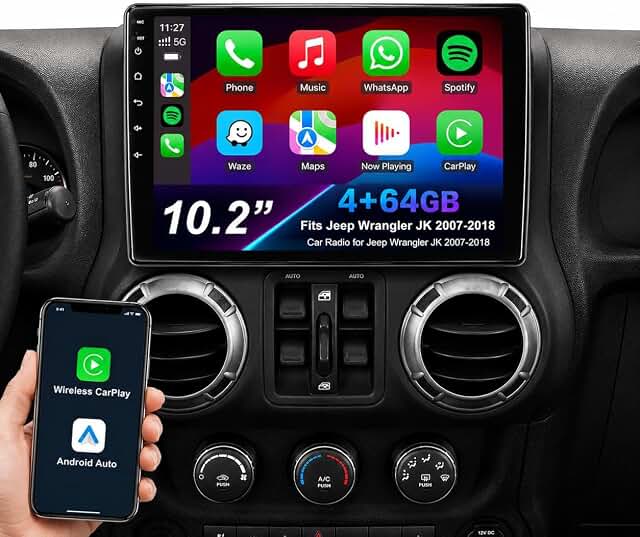
Android 13 JK/Dodge Ram Stereo — The lowest price on this list at ~$129, running Android 13 with wireless CarPlay and Android Auto. For absolute budget-conscious buyers, this unit includes all core modern features.
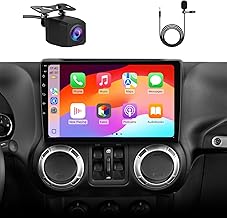
Car Radio Stereo Upgrade for Jeep Wrangler JK 2007-2018 | Android 13
$128.99
Check Price on Amazon →For a deeper breakdown of all JK-compatible head units—including specific fit notes for the 2-door vs JKU dash layout—head to the complete head unit buyer’s guide for Jeep JK. And if you’re adding a backup camera alongside your new head unit, the best backup camera for JK covers the top-rated options that pair well with these units.
Uconnect Upgrade Buying Guide: What to Look for in a JK Head Unit
Choosing the right replacement head unit comes down to a handful of criteria—and getting them wrong is expensive.
JK-Specific Fit vs Generic Double DIN
JK-specific units (like the Stinger line) include a purpose-built dash adapter, factory-matched harness, and sometimes a trim bezel that looks intentional. Generic double DIN units require a separate JK dash adapter kit, which adds cost and installation time. If you want a clean install that looks like it belongs in your JK, JK-specific is the way to go.
Steering Wheel Control (SWC) Compatibility
Most aftermarket units support steering wheel controls via an adapter module. JK-specific units typically include or directly support the adapter. Generic units may need a separate SWC interface module costing $50–$100. Confirm this is included or budgeted before you purchase—it’s a real cost add-on.
Wireless vs Wired CarPlay/Android Auto
Wireless CarPlay is significantly more convenient in a Jeep. You don’t want a cable dangling across a mud-covered console or getting tangled when you’re reaching for the shift lever. All five units recommended in this guide offer wireless; don’t settle for wired-only at this price point.
Backup Camera Input
Almost all modern units include at least one camera input. If you plan to add a reverse camera—which you should—confirm the unit supports it and check whether a camera is bundled or sold separately. Budget another $80–$150 if you’re adding a dedicated backup camera.
Build Quality for Off-Road Use
Vibration, dust, and temperature swings are facts of JK life. A unit built to automotive spec tolerances will outlast a cheap tablet-in-a-bracket. Stinger units are purpose-engineered for off-road durability; budget generics are not.
Installing an Aftermarket Radio in Your JK: What to Expect
Installing an aftermarket head unit in a 2007–2018 Jeep JK is a manageable DIY project—typically 60–90 minutes for a plug-and-play JK-specific unit, longer for generic double DIN installs that require a separate adapter.
Here’s the general process:
- Disconnect the negative battery terminal before touching any wiring.
- Remove the factory radio—JK units are held in by trim clips and a few screws. A plastic trim removal tool prevents scratches on the dash.
- Unplug the factory harness connectors (usually two main connectors plus an antenna lead).
- Connect the wiring adapter—JK-specific units plug directly into the factory harness. Generic units need a separate Metra or Scosche adapter.
- Plug in the new head unit and test all functions before reinstalling into the dash.
- Program steering wheel controls via the SWC adapter module if required.
- Reinstall the unit into the dash and reconnect the battery.
The full step-by-step process—including trim removal order, harness pin details, and camera wiring—is covered in the complete JK head unit install guide. While you have the dash apart, it’s a good time to address lighting too. Many JK owners tackle LED headlight upgrades at the same time to minimize repeated disassembly.
Frequently Asked Questions About Jeep JK Uconnect
Why does my Jeep JK Uconnect keep freezing?
The most common causes are a software hang (fixed by a soft reset—hold Volume + Tune for 10–15 seconds), outdated firmware, or a failing internal hardware component. A weak or fluctuating battery is an overlooked culprit. The Uconnect unit needs stable voltage to run correctly. Try the soft reset first; if freezing persists, run a firmware update. If the problem continues after that, the unit likely has a hardware failure and needs replacement.
Can I update the Uconnect 430 software myself?
Yes, absolutely. Download the firmware from the official Chrysler Uconnect owner portal, copy it to a FAT32-formatted USB drive (at the root level, not inside a folder), and insert the USB with the ignition in accessory mode. Follow the on-screen prompts. The update usually takes 20–40 minutes—do not interrupt power during the process. Use a high-quality USB drive; cheap ones sometimes cause failed updates.
Does the Jeep JK Uconnect 430N have Apple CarPlay?
No. The Uconnect 430N—and all factory Uconnect variants across the 2007–2018 JK lineup—do not support Apple CarPlay or Android Auto. These features require an aftermarket head unit replacement. All five units recommended in this guide add wireless CarPlay and Android Auto, which is one of the biggest reasons JK owners opt for replacements.
Will an aftermarket radio work with my JK steering-wheel controls?
Usually, yes—with the right adapter. JK-specific units (like the Stinger range) are designed to work with JK steering wheel controls directly or via an included adapter. Generic double DIN units typically need a separate SWC interface module (approximately $50–$100). Confirm SWC compatibility before purchasing any unit. Most aftermarket manufacturers publish a compatibility list; check it before you order.
What is the best cheap Uconnect replacement for a Jeep JK?
For budget-conscious JK owners, the Android 13 wireless CarPlay unit at ~$129 is the most affordable entry point with modern features. Keep in mind that budget generic units require a separate JK dash adapter kit and SWC module, which adds cost and installation time. If your JK is a 2-door or 4-door/JKU Unlimited, dash fitment can vary—verify the specific adapter kit before ordering.
Why is my JK Uconnect not connecting to my iPhone?
Older Uconnect firmware often struggles to reconnect reliably with iOS 16 and later. The first fix is a software update—download and install the latest firmware via USB (as described earlier). If that doesn’t resolve it, forget the phone in Bluetooth settings, perform a factory reset of the Uconnect unit, and re-pair from scratch. If the problem persists after all that, the Bluetooth module in the radio is likely failing and the unit needs replacement.
The Bottom Line on Jeep JK Uconnect Problems and Upgrades
The factory Uconnect system in your 2007–2018 JK is fixable in many cases. A soft reset or firmware update resolves the majority of freezing and Bluetooth issues. But when hardware ages beyond repair—or you simply want wireless CarPlay and modern navigation—a purpose-built replacement like the Stinger 6.8” Wireless Apple CarPlay Radio delivers a cleaner result than any generic unit.
Budget options exist—and they work—but they require more installation effort and don’t integrate with your JK’s dash as seamlessly. The Stinger line represents the best balance of cost, fit, and features for most JK owners.
Start with the best head units for Jeep JK for a full comparison, and check the complete JK electrical upgrades guide if you want to modernize beyond the radio while you have the dash open.
Get the Free JK Build Planner
Complete PDF with mod checklists, gear ratios, tire sizing charts, and budget worksheets. Everything you need to plan your JK build.
No spam. Unsubscribe anytime. By subscribing, you agree to our Privacy Policy.
Allan
I'm Allan. I bought a 2014 Jeep Wrangler JKU and I research the hell out of every mod before I touch it. Everything here is tested or deeply researched on my own rig - no sponsored fluff, just honest findings.
Learn more about me →Get the JK Build Planner
Free PDF with complete build checklists, gear ratios, and tire fitment guides.
By subscribing, you agree to our Privacy Policy.
Related Articles
Best JK Rock Lights: Underbody LED Kits for Night Crawling
Rock lights are small, rugged LED pods mounted underneath your JK's frame, axles, and skid plates. They illuminate the ground directly below the tires...
Best JK CB Antenna Mounts & Antenna Upgrades: Trail Communication Setup
A Jeep JK CB antenna mount is a bracket or adapter that secures a CB antenna to a specific location on your Wrangler — bumper, mirror, A-pillar, or...

LED Tail Light Upgrade for Jeep JK: Install Guide & Best Options
Upgrading your Jeep JK's tail lights to LED is one of those mods that feels like a small decision until you actually experience the difference. You...