Uconnect Upgrade for Jeep JK: Best Head Unit & GPS Replacements
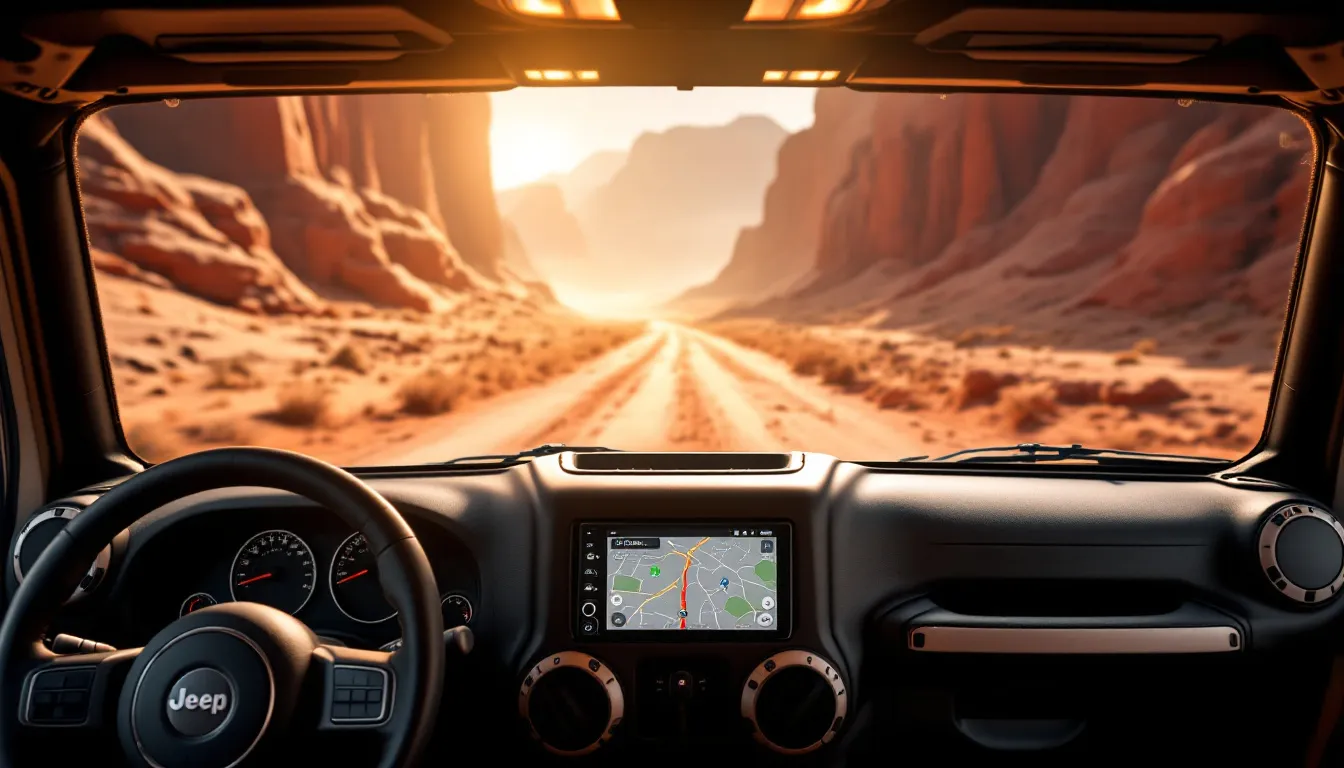
Uconnect Upgrade for Jeep JK: Best Head Unit & GPS Replacements
The factory Uconnect system in a 2007–2018 Wrangler JK feels dated the moment you compare it to what’s in your phone. No Apple CarPlay. No Android Auto. Navigation that relies on maps last updated when you bought the Jeep. A Uconnect upgrade replaces the factory Chrysler infotainment system with a modern head unit — usually a double-DIN aftermarket unit from Pioneer, Kenwood, or Alpine — that gives you smartphone integration, a responsive touchscreen, and often a backup camera input your JK probably never had.
The best upgrade for most JK owners is a mid-range double-DIN unit with wired CarPlay and Android Auto support, paired with a JK-specific dash kit to maintain factory fit and steering wheel control retention. Before you start shopping, you need to know exactly which factory radio your JK came with — because a 2014 Sahara and a 2014 Sport might have completely different systems under the same dashboard.
Check the best head units and radios for the JK for verified, currently in-stock picks. The JK electrical upgrades guide will walk you through the wiring context you’ll need before you pull the dash apart.

Stinger 6.8" Wireless Apple CarPlay Radio for Jeep Wrangler JK (2007-18)
Check Price on Amazon →Which Uconnect Version Does Your JK Have? (2007–2018 Breakdown)
Your JK’s factory radio isn’t determined by the year badge alone. It depends on trim level, build-sheet options, and sometimes regional availability. Two identical-looking 2014 Saharas can roll off the lot with different systems.
Before shopping for a replacement, find your radio’s sales code on the window sticker or glove box build sheet. That two- or three-letter code tells you exactly what you’re dealing with — and it matters.
Here’s the real-world breakdown across the JK generation:
2007–2010 | No-Screen AM/FM or MyGIG (REN/REC/RBZ)
Early JKs shipped with either a basic single-DIN AM/FM/CD radio or, on higher trims, the MyGIG system — a clunky 6.5-inch screen that felt outdated the day it was installed. Bluetooth was rare or nonexistent on base units. Navigation was an expensive dealer option that few took.
2011–2013 | Uconnect 3.0 (RAK/RA3/RA4)
A modest upgrade. Uconnect 3.0 brought a 3.5-inch or 6.5-inch touchscreen depending on trim, basic Bluetooth audio and calling, and that was about it. No smartphone projection. No live navigation. The interface responded like a phone from 2009. If you own a mid-2010s JK and you’re still running this radio, you know the lag.
2014–2015 | Uconnect 8.4 (UAG/UAM)
This was the jump. An 8.4-inch capacitive touchscreen, a faster processor, SiriusXM integration — suddenly the system felt genuinely usable. No Apple CarPlay or Android Auto yet, but the hardware was significantly closer to modern standards. A lot of JK owners still run these and consider them acceptable, which tells you something.
2016–2018 | Uconnect 8.4AN / 8.4A
The final iteration for the JK era. The 8.4AN added 4G LTE Wi-Fi hotspot capability. Neither version supports native CarPlay or Android Auto from the factory, though the processor and screen are more responsive than the 2014–2015 units. Frustratingly close to modern, but not quite there.
Trim level matters too. A base Sport and a fully loaded Rubicon didn’t always come with the same radio. Check your build sheet — it’s the source of truth.
Get new guides by email
One email when we publish something worth reading. Unsubscribe anytime.
What You Actually Gain from a Uconnect Upgrade
An infotainment upgrade isn’t a cosmetic mod. The improvements are immediate and tangible — the kind you notice every single drive.
Smartphone Integration Changes Everything
This is the real reason to upgrade. Apple CarPlay and Android Auto put Google Maps, Waze, Spotify, and real-time messaging on a proper-sized screen. The factory Uconnect navigation — even on the 8.4 — uses HERE maps that haven’t been updated since you took delivery. Your phone’s maps are live. They know about road work, traffic, and accidents happening right now. It’s the difference between showing up on time and taking a 20-minute detour.
Audio Quality Improves Noticeably
Modern head units output higher wattage and include better digital signal processing than the factory amp. If your JK doesn’t have the Bose system, you’ll hear a real difference immediately — tighter bass, cleaner midrange, more controlled highs. If you do have Bose, we’ll address that later.
Backup Camera Support (Usually Missing from the Factory)
Most JK trim levels never got a backup camera from Chrysler. Not even the Rubicons. A new head unit adds a rear camera input immediately — plug in a dedicated backup camera while the dash is open, and reversing becomes infinitely easier. See the best backup cameras for the JK for camera and mounting options.
When you’re swapping the head unit anyway, preserving your tire pressure monitoring system is straightforward. A set of compatible 433MHz TPMS sensors plugs into the new unit’s monitoring system without any additional wiring complexity.
Screen Responsiveness Matters More Than You’d Think
Seven or eight years of system updates slow down even the 8.4-inch Uconnect. Menus lag. Touch response delays. A modern capacitive touchscreen is noticeably snappier — tapping an icon registers immediately instead of half a second later. That half-second adds up over a thousand interactions.
How to Choose the Right JK Head Unit: 5 Things That Actually Matter
You don’t need every feature on the market. You need the five things that determine whether an upgrade is a smooth experience or a frustrating compromise.
1. Dash Fit and Mounting
The JK uses a double-DIN opening, but the surrounding trim and climate control integration vary by year and door count. Verify that your dash kit matches your exact model year and door configuration — a 2007–2011 Sport dash kit is not the same as a 2012–2018 kit. A 2-door JK bezel is different from a JKU four-door unit. This isn’t optional: wrong kit equals loose fitment, exposed gaps, and potentially damaged climate control cluster.
Get the confirmation in writing from the dash kit supplier before you order anything.
2. Steering Wheel Control Retention
Most JK trims come with factory steering wheel audio controls — volume, track skip, phone answer. Without an SWC adapter (Axxess or iDatalink), you lose all of these. You’ll be reaching for the touchscreen at every red light. An SWC adapter costs $20–$50 and takes 20 minutes to program. Worth it. Non-negotiable.
3. Bose System Compatibility
This is the JK-specific gotcha. If your JK has the factory Bose premium audio package — check your build sheet — the Bose amplifier uses a proprietary signal path that most aftermarket head units won’t drive correctly. You’ll get distorted audio, low output, or complete dropout from certain speakers.
Your options: source a dedicated Bose integration harness (PAC Audio makes one for around $150), or plan to replace the Bose speakers and amp along with the head unit. Neither is ideal, but both work. Don’t skip this if you have Bose.
4. Backup Camera Integration
Check whether your chosen head unit supports automatic camera activation on reverse. Most modern units do, but confirm that the reverse trigger wire is accessible in your JK’s harness. See JK auxiliary switches and electrical accessories for trigger wire routing.
5. Apple CarPlay: Wired vs Wireless
Wired CarPlay is more universal and more stable across all iPhones. Wireless CarPlay requires both the head unit and your iPhone to support it — iPhone 12 and newer. Don’t pay a premium for wireless CarPlay if your phone is older than iPhone 12. The experience won’t be meaningfully better than wired, and you’ll lose the charging advantage of the USB port.
JK Head Unit Upgrades: Quick Comparison

Not every JK owner needs the same unit. This table maps the common upgrade tiers to the features and price ranges you’ll actually encounter, so you can narrow down your category before diving into individual model reviews.
| Head Unit Category | Screen Size | Apple CarPlay | Android Auto | Wireless CarPlay | Backup Cam Input | Typical Price Range | Best For |
|---|---|---|---|---|---|---|---|
| Budget Double-DIN (Pioneer MVH series) | 6.2–7 in | Wired | Wired | No | Yes | $150–$250 | 2007–2013 JK, basic upgrade |
| Mid-Range Double-DIN (Pioneer DMH, Kenwood DDX) | 6.8–7 in | Wired | Wired | Some models | Yes | $250–$450 | All JK years, best value |
| Large-Screen Double-DIN (Alpine Halo, Kenwood eXcelon) | 9–10 in | Wired | Wired | Yes | Yes | $450–$700 | 2014–2018 JKU, premium daily driver |
| Android-Based Head Unit (AOSP/CarPlay-embedded) | 9–10 in | Wired/Wireless | Wired/Wireless | Yes | Yes | $300–$600 | Owners wanting full Android OS |
| OEM Uconnect 8.4 Upgrade (used/refurbished) | 8.4 in | No (unless modded) | No | No | Yes (some) | $200–$500 | Keeping OEM look, 2007–2013 JKs |
Prices are street-level approximations; your actual cost will vary. For verified in-stock products with current Amazon pricing, head to the best head units and radios for the Jeep JK — that roundup is updated regularly and includes direct Amazon links to available units.
Stinger HEIGH10+ 10.1" Wrangler JK Car Stereo with Wireless Apple CarPlay
Check Price on Amazon →
10.2" Car Radio Stereo for Jeep Wrangler JK/Unlimited 2007-2018
Check Price on Amazon →
Car Radio for Jeep Wrangler JK Dodge Ram, Wireless CarPlay Android Auto
Check Price on Amazon →
Car Radio Stereo for Jeep Wrangler JK 2007-2018
Check Price on Amazon →
Car Radio Stereo Upgrade for Jeep Wrangler JK 2007-2018 Dodge Ram Android 13
Check Price on Amazon →
SWTNVIN 9" Car Radio Stereo for Jeep Wrangler JK 2011-2017 Android 14 GPS
Check Price on Amazon →JK Apple CarPlay Retrofit: Full Swap vs Plug-In Adapter
There are two paths to Apple CarPlay in a factory Uconnect JK. Each one trades complexity for a different set of advantages and headaches.
Full Head Unit Swap
You remove the factory radio entirely and install a dedicated aftermarket unit. You get a brand-new screen (usually larger than the factory option), full CarPlay and Android Auto support, improved audio processing, and a backup camera input. The downside is real: dash disassembly, potential Bose amp complications if you have the premium system, and SWC adapter wiring that requires programming.
On a 2016–2018 JK with the integrated 8.4-inch Uconnect and climate control, the dash integration is tight. The job takes more patience than on a 2007–2013 JK. Budget 3–4 hours if you’re doing it yourself.
Plug-In CarPlay Adapters
A plug-in adapter connects to your factory Uconnect’s USB port and projects CarPlay through the existing screen. On 2016–2018 JKs with the 8.4A or 8.4AN system, some plug-in adapters are genuinely plug-and-play. You keep the factory screen, the OEM aesthetics, and the simpler dash.
The trade-off is that the experience depends entirely on the adapter’s firmware. Some owners report clean, lag-free operation. Others see interface delays, occasional connection drops, and the occasional need to re-pair. It’s a lottery.
For 2007–2013 JKs with a 3.5-inch or no-screen factory radio, a plug-in adapter won’t work at all. A full head unit swap is your only path to CarPlay.
If you’re committing to a full swap anyway, this is the moment to add a backup camera to your JK. The marginal extra time is minimal — you’re already in the dash. And while you’re pulling trim, consider whether your JK’s maintenance is current. Check the 2018 JK maintenance schedule if this is a late-model Jeep — an infotainment upgrade is a good opportunity to catch up on fluids and filters while you’re in problem-solving mode anyway.
Installing a New Head Unit in Your JK: What to Expect
Installing an aftermarket head unit is a manageable DIY job for anyone comfortable with basic wiring — but it’s not a quickie. Most owners report a realistic time of 2–4 hours for a first install, longer if you’re routing backup camera wires or troubleshooting a Bose system.
Here’s the process:
Step 1: Disconnect the battery. Kill the negative terminal before you touch any wiring. This isn’t a formality — the JK’s electrical system will bite you if you don’t.
Step 2: Remove the factory dash bezel. The trim ring is held by plastic clips. Use a proper trim removal tool to avoid cracking it. On 2014–2018 models, the bezel is physically bonded to the HVAC controls — you have to disconnect the climate cluster carefully. Don’t yank.
Step 3: Slide out the factory head unit. Use the appropriate DIN release tools or remove the retention screws, depending on your radio’s fastening method.
Step 4: Connect your wiring harness adapter. This adapter plugs into the factory connector and maps the OEM wires to your new head unit’s ISO or proprietary connector. This is where the specific details matter — mismatched harnesses create intermittent power issues and speaker dropout.
Step 5: Install the SWC adapter. The Axxess ASWC-1 or an iDatalink equivalent programs your factory steering wheel controls to work with the new head unit. This requires a calibration process — consult the adapter’s manual for your exact JK model year.
Step 6: Test everything before final installation. Connect the new head unit loosely, power it up, and confirm: audio plays through all speakers, CarPlay connects and responds, steering wheel controls work, and the reverse camera trigger fires when you shift into Reverse.
Step 7: Secure the head unit in the dash kit and reinstall the bezel. This is the moment to pay attention — the bezel clips and harness connections should be snug but not forced.
Two JK-specific pitfalls to avoid:
The Bose amplifier (if you have it) requires a dedicated integration harness or line output converter. Skip this and you’ll get distorted, low-output audio that makes you regret the upgrade immediately.
The HVAC integration on 2014–2018 JKs means the climate control cluster is physically attached to the radio surround. Disassembly takes extra care and patience. If you break the connector, you’ve got a problem that isn’t a quick fix.
For detailed wiring specs and JK-specific hacks, see the JK electrical upgrades wiring guide and JK LED light bar install, wiring, and mounting.
GPS Navigation for the JK: Built-In vs Phone-Based
Here’s the honest take: for everyday driving, phone-based navigation through Apple CarPlay or Android Auto is the better choice for most JK owners. Google Maps and Waze use live traffic data, updated road information, and integrate with apps you already use. Built-in navigation requires map update subscriptions, which cost money and still fall behind real-time data. A head unit with preloaded HERE or NavTeq maps is going to tell you about roads and conditions from six months ago.
Phone-based navigation wins on currency, simplicity, and cost.
That said, built-in GPS has one genuine, non-negotiable advantage: it works without a cell signal. If you spend weekends running remote trails in areas without LTE coverage — the Red Desert, Utah’s backcountry, or similar — a cached Google Maps offline download or a purpose-built unit with preloaded topographic maps holds real value. Your phone can’t help you if it has no signal.
For a daily-driven JK in areas with decent cellular coverage, use CarPlay with Google Maps or Waze. The interface is familiar, the map data is live, and you’re not paying Chrysler’s annual map update tax.
If you’re a serious backcountry driver, consider an aftermarket head unit that includes preloaded HERE or NavTeq maps as a fallback, or pair your head unit with a standalone Garmin unit mounted on an accessory bracket. Standalone GPS mounting and power options are covered in the JK power and accessory mounting guide.
Frequently Asked Questions: Uconnect Upgrade for the Jeep JK
Can I add Apple CarPlay to my factory Jeep Uconnect?
On 2016–2018 JKs with the 8.4A or 8.4AN system, yes — some plug-in CarPlay adapters work directly via the factory USB port. On 2007–2015 JKs, you’ll need to replace the head unit entirely. See the head unit roundup for the JK for compatible options across multiple price tiers.
What is the best head unit for a 2007–2013 Jeep JK?
A mid-range double-DIN unit in the 6.8–7-inch range from Pioneer or Kenwood offers the best value. These JKs have simpler dash layouts and less integrated wiring than 2014–2018 models, which makes the installation more straightforward. Prioritize wired Apple CarPlay and Android Auto, SWC compatibility, and a backup camera input.
Will aftermarket head units work with the factory Bose sound system?
Not without additional hardware. The Bose system uses a separate amplifier with proprietary signal routing. Connecting a standard aftermarket head unit without a Bose integration harness results in low output and distortion. You’ll need either a dedicated integration harness (PAC Audio makes compatible units) or plan to replace the Bose speakers and amp entirely. Check your build sheet to confirm whether you have Bose.
Does replacing the Uconnect void my Jeep warranty?
Under the Magnuson-Moss Warranty Act, a dealer cannot void your entire warranty because of an aftermarket radio. They’d need to prove that your modification caused a specific failure to deny a specific claim. That said, keep your factory unit so you can reinstall it if dealer service becomes necessary on the electrical system.
How do I find my current Uconnect version?
Check the radio sales code on your window sticker — that two- or three-letter code tells you exactly which system shipped with your JK. Alternatively, on 8.4-inch Uconnect systems, navigate to Settings > System Information to see the software version. The window sticker is always the most reliable source.
How long does a head unit installation take?
Plan 2–4 hours for a DIY install on a 2007–2013 JK, longer on 2014–2018 models due to integrated climate control. If you have a Bose system or you’re routing a backup camera wire, add extra time. A professional shop typically charges $300–$600 for labor, depending on complexity.
Bottom Line: Is a Uconnect Upgrade Worth It for Your JK?
For most JK owners, yes — this is one of the best investments you can make. The factory infotainment system, even the 8.4-inch unit on late-model JKs, lacks modern smartphone integration and live navigation. A modern head unit fixes those gaps in one shot and adds a backup camera input that your JK probably never had.
Two things to understand before you commit.
First, Bose ownership changes the math. If your JK has the Bose system, budget for a Bose integration harness or plan to replace speakers and the amp. Without this, you’ll be disappointed with audio quality immediately.
Second, the 2014–2018 JK dash is more complex to disassemble. The climate control cluster is bonded to the radio surround. The bezel integration is tighter. If you’re not confident with precision trim work, a professional install is worth the $300–$600.
For 2007–2013 JKs, this upgrade is a no-brainer. The factory radio is genuinely outdated, the dash comes apart more easily, and the improvement to your daily driving experience is immediate and noticeable.
Start with the full JK head unit roundup to find verified, in-stock options that match your year and budget. The JK electrical upgrades guide will prep you on wiring details. And while the dash is open, seriously consider adding a backup camera — the marginal extra time is worth it.
Free: JK Fluids at a Glance
Every fluid, spec and capacity for the 2007-2018 Wrangler JK on one page, plus a cut-out glovebox card. Checked against the owner's manuals. From the JK Service Kit.
Email me the download and new guides when they are published. Unsubscribe anytime. Privacy Policy.
Allan
I'm Allan. I own a 2014 Jeep Wrangler JKU and I research the hell out of every mod before I touch it. When I've fitted something to my own Jeep, I say so. Everything else is researched from manufacturer specs and other owners' reports. No sponsored fluff.
Learn more about me →Free: JK Fluids at a Glance
Every fluid, spec and capacity for the 2007-2018 JK on one page, plus a glovebox card.
Email me the download and new guides when they are published. Unsubscribe anytime. Privacy Policy.
Related Articles
KC HiLiTES Daylighter vs Slimlite for Jeep JK: Which Aux Lights Win?
KC HiLiTES aux lights are American-made auxiliary driving lights built for off-road and overlanding use, combining high-output bulb or LED technology with...
Holley Retrobright LED Headlights for Jeep JK: Classic Look, Modern Output
Holley Retrobright LED headlights are DOT-approved, 7-inch round LED sealed-beam replacements designed to deliver modern light output while preserving...
Best LED Fog Light Upgrades for Jeep JK: Brightest Drop-In & Projector Options
Jeep JK LED fog lights are direct-fit 4-inch round LED lamps that replace the OEM halogen fog lights on 2007–2018 Wrangler JK and JKU models, offering...