Best JK CB Antenna Mounts & Antenna Upgrades: Trail Communication Setup
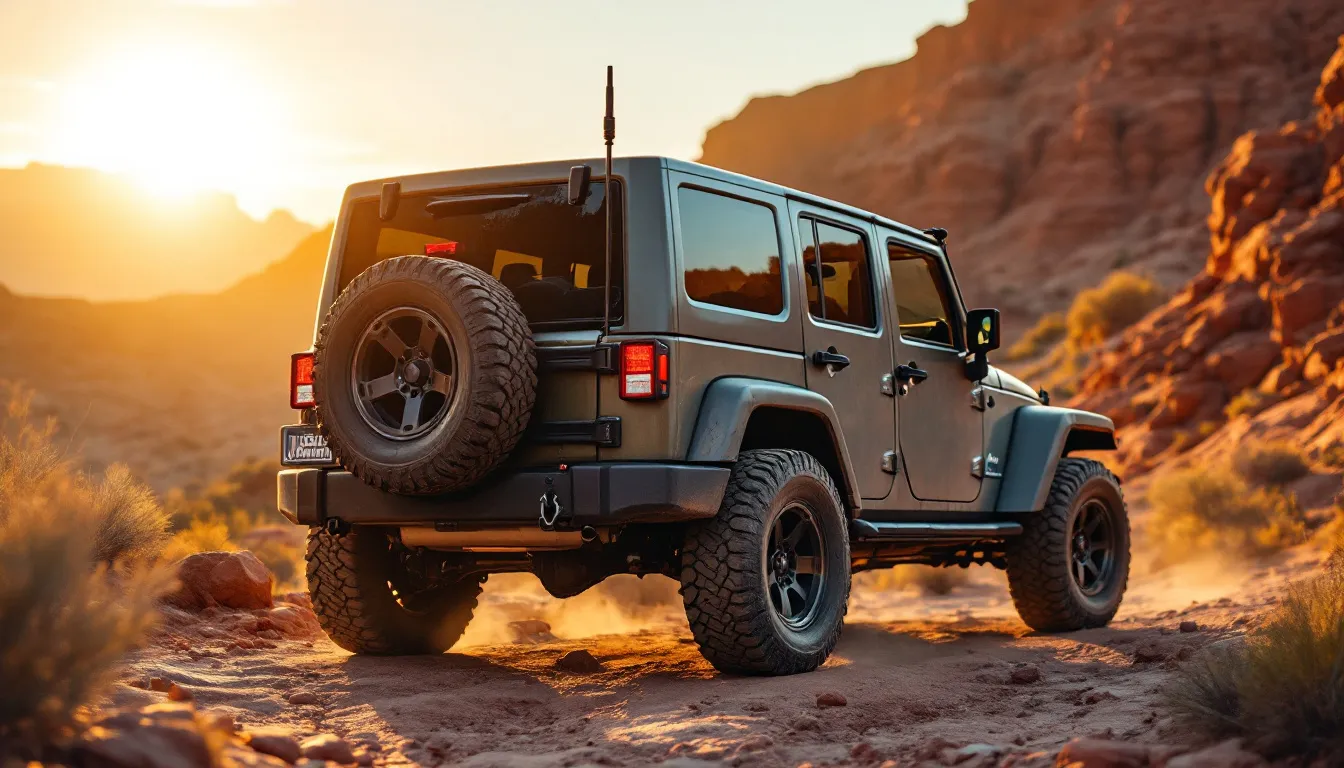
Best JK CB Antenna Mounts & Antenna Upgrades: Trail Communication Setup
The Best Jeep JK CB Antenna Mount for Trail Communication
A Jeep JK CB antenna mount is a bracket or adapter that secures a CB antenna to a specific location on your Wrangler — bumper, mirror, A-pillar, or hood — providing a stable, electrically sound base for trail radio communication.
Here’s the practical answer: for most JK owners, a co-phased mirror mount or a steel-bumper-mounted stud delivers the best combination of signal performance, ease of installation, and durability. But the 2-door JK and 4-door JKU have different mounting geometry, and your bumper material (steel vs. plastic OEM) changes everything about how the antenna actually performs.
Mount the antenna wrong, and you’ll chase problems that feel like radio failures but aren’t. Poor SWR means clipped transmit power. Bad ground continuity means static that drives everyone on the channel crazy. I’ve learned more from watching what actually works on real trails than from reading spec sheets — and what works is repeatable. Real JK owners in the forums nail this consistently because they’ve learned where the gotchas hide.
Our JK electrical upgrades guide covers the broader power and accessory picture, while our roundup of the best head units and radios for Jeep JK pairs perfectly with the antenna work covered here.
Get new guides by email
One email when we publish something worth reading. Unsubscribe anytime.
Why CB Radio Is Still the Standard for JK Trail Communication
CB radio remains the default trail communication tool for Jeep JK owners because it requires no subscription, no cell service, and no repeater infrastructure. You key up, and anyone on Channel 19 (or whatever your group agreed on) hears you instantly.
The FCC caps CB transmit power at 4 watts on AM and 12 watts PEP on SSB. That’s hard ceiling, not negotiable. Real-world usable range varies enormously based on terrain, antenna height, coax quality, and ground plane. Quoting a specific mile figure would be nonsense — I’ve had 20-mile range on open desert and lost signal 2 miles out in tight canyon country. What community consensus confirms is this: a well-tuned antenna on a good mount will always outperform a mismatched setup, regardless of radio brand.
Alternatives like GMRS and FRS are gaining traction, but CB still wins for cross-group compatibility on open trails where you don’t know who else is out there. No license required for CB (unlike GMRS), which keeps the barrier to entry low. That matters when you’re trying to organize a group run and half the people have different radio systems.
Pairing your CB with a capable power source matters too. An auxiliary switch panel for your JK lets you run the radio cleanly without splicing into existing circuits.
CB Antenna Mount Types for the Jeep JK: Which One Should You Choose?
The right CB antenna mount for your JK depends on three concrete things: where you want the antenna, what your bumper is made of, and how much permanent modification you’re willing to make.
| Mount Type | Best For | Ground Plane Needed | JK Fitment Notes | Typical Price Range |
|---|---|---|---|---|
| Steel bumper stud | Maximum signal, permanent install | Yes — steel bumper acts as ground | Only works on aftermarket steel bumpers; OEM plastic bumper cannot ground the antenna | $15–$40 |
| Mirror mount (co-phased) | Two-antenna diversity, easy removal | Less critical — uses mirror bracket metal | Fits JK mirror stalks; 2-door and JKU both compatible; check stalk diameter | $30–$65 |
| A-pillar mount | Tall antenna clearance, forward placement | Partial — depends on mount material | Works well on JKU; some 2-door installs can interfere with soft-top hardware | $20–$50 |
| Magnetic base | Temporary/occasional use only | Yes — needs flat metal surface | Hard tops only; JK soft tops and modular tops have no usable metal surface | $10–$25 |
| Hatch/tailgate mount | Rear-facing comms, minimal cab intrusion | Yes — depends on tailgate metal | Works on JK full-steel tailgate; check for paint-through-to-metal contact | $20–$45 |
Here’s the biggest JK-specific gotcha: plastic and aluminum bumpers do not ground a CB antenna. OEM JK bumpers shipped from the factory are plastic. Many aftermarket “budget” steel bumpers have powder-coat so thick it breaks the electrical circuit between the antenna and the chassis ground. Before you buy a bumper-mount antenna setup, grab a multimeter and test conductivity. That five-minute check saves real frustration.
If you’re considering switching to a steel bumper that can double as an antenna ground plane, our guide to choosing a steel front bumper with winch mount walks through the options. For coax routing after you’ve mounted the antenna, the same principles covered in routing wires through the firewall on a JK apply directly.
Best CB Antennas for the Jeep JK: Top Picks by Use Case
The best CB antenna for a Jeep JK balances physical height (longer = better signal, up to a point), tunability, and durability on rough trails. A whip that survives asphalt might snap off on a brush-lined forest two-track if it’s not built right.
Firestik FS4 (4-foot tunable tip)
Community consensus on JK forums consistently points to the Firestik FS-series as the go-to for off-road use. The tunable tip is what makes this one stand out — you can dial in SWR without cutting the antenna. That’s a major advantage when your mount location isn’t ideal or when you’re testing different locations to find the sweet spot. The 4-foot length keeps you under most overhead obstacles while still outperforming shorter units. This is the antenna I’d reach for first on a steel bumper mount.
Firestik FS3 (3-foot)
For 2-door JK owners who wheel in tight timber or canyon terrain, the 3-footer sacrifices a little range for significantly better obstacle clearance. It won’t tangle in low branches the way a longer antenna might. Community reports suggest it tunes cleanly on most mirror and A-pillar mounts. The trade-off is range — you’ll notice the difference on open desert runs, but in tight terrain, that clearance is worth it.
Wilson 1000
A classic dual-magnet design with a center-loaded coil. Not the first choice for a JK due to magnetic mount limitations on non-metal surfaces, but if you have a steel hard top and want a no-drill option for occasional group runs, it gets the job done. It’s magnetic-based, so mounting is simple and reversible. Just don’t expect it to work on a soft top or modular top.
Shakespeare Galaxy
A fiberglass-base antenna with decent durability and a factory-sealed tip. Less tunable than the Firestik, but some JK owners prefer it for simplicity. Better suited to a permanent bumper or hatch mount where you’re not constantly adjusting. It’s a solid second choice if the Firestik is out of stock.
Before committing to any antenna brand, check what the JK community is actually running on your specific mount type. Real-world forum data reveals installation quirks and durability issues that no product listing will mention. That research-first approach consistently saves money and frustration.
Head Unit Upgrade to Complete Your Trail Comms Stack
If you’re building a full trail communications setup, pairing your CB with a capable head unit gives you Bluetooth intercom options, navigation, and audio management in one dash-mounted unit. One of the most popular options for 2007–2018 JK and JKU owners right now is the Android 13 head unit with Wireless CarPlay and Android Auto:

Car Radio Stereo Upgrade for Jeep Wrangler JK 2007-2018 Dodge Ram Android 13 with Wireless CarPlay and Android Auto
Check Price on Amazon →This Android 13 head unit with Wireless CarPlay and Android Auto is an infotainment upgrade — not a CB radio itself — but it rounds out your dash and frees up a dedicated CB head unit mount. It handles the navigation and audio side while your CB handles the trail comms. See our full review of the best head units for Jeep JK for a direct comparison against other options.
Installing Your JK CB Antenna Mount: Coax Routing and Grounding Tips
Good installation technique is what separates a CB that crackles and cuts out from one your trail group actually relies on. The antenna mount is only half the equation. Coax routing and grounding determine whether that mount performs as intended.
Installation Steps
-
Choose your mount location and verify ground continuity. Use a multimeter to confirm your chosen mount point connects electrically to the chassis. A resistance reading above a few ohms means you have a grounding problem before you even start. This step is non-negotiable.
-
Mount the antenna bracket securely. For mirror mounts, snug the clamp firmly but don’t overtighten — JK mirror stalks can crack if you go too hard. For bumper studs, use stainless hardware and apply anti-seize compound so you can remove the antenna seasonally without wrestling with seized bolts.
-
Route the coax to the cab interior. Most JK owners route through the driver-side firewall grommet without drilling. The opening accepts a PL-259 connector with the grommet slightly enlarged. For a clean install that looks like it belongs there, our guide on running wires through the JK firewall covers this step in detail.
-
Keep coax away from ignition wires and the fuse box. Electrical interference from ignition components will cause hash noise on receive. Route along the A-pillar or under the sill trim, not near the steering column. Get this wrong and noisy reception makes a CB useless.
-
Connect to your CB radio and power the unit. Consider powering the radio through a dedicated circuit. An adding an auxiliary switch panel to power your CB radio keeps your install clean and protects against voltage spikes that can damage the radio’s power supply.
-
Tune SWR before transmitting at full power. Connect an SWR meter between the radio and antenna. Make several short transmit tests and record the reading. This is the step that separates a setup that works from one that damages your radio over time.
-
Adjust and re-test until SWR is within spec. If you’re using a tunable antenna, adjust the tip incrementally. Small changes yield big SWR swings.
SWR Thresholds
- 1.0–1.5: Ideal. Full transmit power, no reflected energy.
- 1.5–2.0: Acceptable. Minor reflected power, negligible practical impact.
- 2.0–2.5: Marginal. Worth another tuning pass.
- Above 3.0: STOP TRANSMITTING. High reflected power will damage your radio’s finals over time — this is not a cosmetic issue.
For mounting accessories on your JK front bumper, note that adding a winch or other large metal component after antenna installation may change your SWR. Always re-tune after significant front-end modifications. I’ve seen guys install a steel winch bumper and suddenly have SWR issues they didn’t have before — the new metal changes the ground plane.
JK CB Antenna Setup: Quick-Pick Summary Table
If you already know your use case and just need a fast recommendation, this table gives you the short version. The mount type, antenna model, and coax spec work together as a system — don’t mix a high-performance antenna with cheap coax and expect good results.
| Use Case | Recommended Mount | Recommended Antenna | Coax Type | Notes |
|---|---|---|---|---|
| Daily trail group runs, steel bumper | Bumper stud mount | Firestik FS4 (4 ft) | RG-8X | Tune SWR before first use; re-tune after bumper swaps |
| Tight timber/canyon wheeling | Mirror mount | Firestik FS3 (3 ft) | RG-8X | Lower profile reduces snag risk |
| Hard top, minimal install | Magnetic base | Wilson 1000 | RG-58 (short run) | Temporary use only; not suited for trails |
| JKU (4-door), permanent install | A-pillar mount | Firestik FS4 (4 ft) | RG-8X | Check soft-top hardware clearance on JKU |
| Rear-facing or dual-antenna setup | Hatch/tailgate stud | Shakespeare Galaxy | RG-8X | Verify tailgate metal-to-chassis ground continuity |
Before buying, cross-reference your JK trim level. Our JK buyer’s guide and the Rubicon vs Sport vs Sahara trim comparison cover which trims ship with steel vs. plastic bumpers from the factory.
Pair Your CB Setup With a Modern JK Head Unit for Full Trail Comms
Running a CB radio alongside a modern head unit gives you the best of both worlds: real-time group radio comms plus navigation, Bluetooth audio, and smartphone integration in one dash. On a long group run, this setup means you can coordinate over CB while mapping a route change on your phone simultaneously.
The Android 13 head unit with Wireless CarPlay and Android Auto reviewed above is built specifically for 2007–2018 JK and JKU fitment. It runs Wireless CarPlay and Android Auto, which means your phone’s mapping apps display on the head unit screen. That’s useful when you’re navigating a trail system and a trail leader is calling directions over CB simultaneously. No cables, just wireless sync.
Mounting a dedicated CB radio head unit below or above the upgraded stereo head unit is common practice. The key is planning your power circuits early so you’re not trying to retrofit everything at the last minute. See our full guide to the best head units for Jeep JK for mounting and wiring specifics. And if you’re updating your entire electrical setup, LED headlight upgrades for your JK pair well with the same aux switch panel that powers your CB.
Frequently Asked Questions: JK CB Antenna Mounts and Trail Comms
These are the questions JK owners ask most often about CB antenna selection and installation. Each answer is written to stand alone as a direct, factual response.
Q: Where is the best place to mount a CB antenna on a Jeep JK?
A: For most JK owners, a mirror mount or steel bumper stud mount provides the best combination of signal performance and ease of installation. Mirror mounts work on both the 2-door JK and the 4-door JKU without requiring bumper modifications. If you have an aftermarket steel bumper, a front-corner stud mount gives you a solid ground plane and maximum antenna height. Both approaches work well — pick based on your bumper material and whether you want the antenna removable.
Q: What length CB antenna is best for a Jeep JK?
A: A 4-foot tunable antenna like the Firestik FS4 is the most popular choice for general trail use. It’s long enough for decent range, short enough to avoid most trail obstacles. Owners who wheel tight timber or canyon trails often drop to a 3-foot model to reduce snag risk. Avoid going shorter than 3 feet unless it’s a specialty loaded antenna; signal performance drops noticeably below that. More length doesn’t always mean better — at some point, the obstacles you hit outweigh the range gain.
Q: Do I need to tune my CB antenna after mounting on a JK?
A: Yes — always tune SWR after mounting. An untuned antenna can reflect enough power back into the radio to damage the output transistors over time. Most JK owners find they can reach an SWR below 1.5 with a tunable-tip antenna and a few minutes of adjustment. Re-tune any time you change mount location or swap antennas. It’s a 15-minute task that prevents expensive radio failures.
Q: Can I use a magnetic mount CB antenna on a Jeep JK soft top?
A: No. Magnetic mounts require a flat, ferrous metal surface to hold and ground the antenna. JK soft-top structures and modular tops have no usable metal surface for this purpose. If you run a soft top, a mirror mount or A-pillar mount is the practical alternative. Hard tops work fine with magnetic mounts, but soft-top owners need a bracket solution.
Q: Does a CB antenna work on both the 2-door JK and 4-door JKU?
A: Yes, the same antenna works on both — but the best mount location differs. The JKU’s longer wheelbase and roofline give you more A-pillar and hatch mounting options. On the 2-door JK, A-pillar mounts sometimes conflict with soft-top hardware, making mirror mounts the cleaner solution. Check your specific top configuration before committing to an A-pillar bracket. It’s a fitment question specific to your setup.
Q: What coax cable should I use for my JK CB antenna?
A: RG-8X is the standard choice for JK CB installations. It balances impedance accuracy (50 ohms), signal loss over typical run lengths (15–25 feet from antenna to radio), and diameter (fits through firewall grommets easily). Avoid thin RG-58 for long runs — it introduces impedance mismatch and signal loss. Avoid oversized RG-8 unless you’re running extremely long cable — it’s harder to route through the JK’s tight firewall opening and doesn’t offer practical advantage for a standard install.
For broader electrical planning, our complete JK electrical upgrades guide covers power routing, fusing, and circuit planning. And once you’re trail-ready, a best portable air compressor for your JK rounds out the recovery kit.
Build Your JK Trail Communication Setup the Right Way
Getting your JK CB antenna mount, antenna, and coax sorted as a system — not as three separate afterthoughts — is what actually works on the trail. Choose your mount based on bumper material and whether you run a soft or hard top. Pick an antenna length that matches your terrain. Always tune SWR before your first transmit. The difference between a setup you forget about and a setup you’re constantly troubleshooting comes down to those three decisions made correctly at the start.
Group trail runs are far easier when you know your JK’s electrical setup before you leave the driveway. Knowing where circuits run and what’s already loaded on the battery changes every accessory decision that follows. CB radio is no different: plan the power, plan the routing, then mount and tune. I learned this watching someone’s CB fail halfway through a group run because the radio wasn’t on a dedicated circuit — voltage sag from other loads killed transmit power at exactly the wrong moment. That experience reinforced how much the planning phase matters.
Start with the mount and antenna choices above, work through the coax routing steps, and you’ll have a trail comms setup that the whole group can depend on. Pair it with LED pod lights for your JK A-pillar if you’re building out the A-pillar area, and bookmark the 2018 JK maintenance schedule to keep the whole rig in shape between runs. The investment in proper installation pays for itself the first time you need to coordinate a recovery or warn the group about trail conditions ahead.
Free: JK Fluids at a Glance
Every fluid, spec and capacity for the 2007-2018 Wrangler JK on one page, plus a cut-out glovebox card. Checked against the owner's manuals. From the JK Service Kit.
Email me the download and new guides when they are published. Unsubscribe anytime. Privacy Policy.
Allan
I'm Allan. I own a 2014 Jeep Wrangler JKU and I research the hell out of every mod before I touch it. When I've fitted something to my own Jeep, I say so. Everything else is researched from manufacturer specs and other owners' reports. No sponsored fluff.
Learn more about me →Free: JK Fluids at a Glance
Every fluid, spec and capacity for the 2007-2018 JK on one page, plus a glovebox card.
Email me the download and new guides when they are published. Unsubscribe anytime. Privacy Policy.
Related Articles
Jeep JK Interior Lighting: How to Upgrade Dome, Map & Cargo Lights to LED
Upgrading the interior lights on your Jeep Wrangler JK is one of the fastest, cheapest modifications you can make, and one of the most noticeable.
KC HiLiTES Daylighter vs Slimlite for Jeep JK: Which Aux Lights Win?
KC HiLiTES aux lights are American-made auxiliary driving lights built for off-road and overlanding use, combining high-output bulb or LED technology with...
Holley Retrobright LED Headlights for Jeep JK: Classic Look, Modern Output
Holley Retrobright LED headlights are DOT-approved, 7-inch round LED sealed-beam replacements designed to deliver modern light output while preserving the...